Author: Robert Timlick

  • Say Goodbye to Phishing: Must-Haves to Eliminate Credential Theft

    Say Goodbye to Phishing: Must-Haves to Eliminate Credential Theft

    Even as cyber threats become increasingly sophisticated, the number one attack vector for unauthorized access remains phished credentials (Verizon DBIR, 2024). Solving this problem resolves over 80% of your corporate risk, and a solution is possible. 
    However, most tools available on the market today cannot offer a complete defense against this attack vector because they were architected to
  • Unmasking the True Price of IT Downtime     

    Unmasking the True Price of IT Downtime     

    Imagine this: you walk into your office on a busy Monday morning, ready to tackle the week. But something’s wrong. Computers are unresponsive. Phones are silent. The internet is a ghost town. Your business has come to a grinding halt – victim of an IT outage.

    It’s a scenario every business owner fears. But beyond the initial frustration are expenses you may not immediately see. IT downtime carries hidden costs that can significantly impact your bottom line. Let’s peel back the layers and expose the true price of IT outages.

    The Immediate Impact: Lost Productivity

    When IT systems go down, your employees are effectively sidelined. Sales can’t be processed. Emails pile up unanswered. Deadlines are missed. Every minute of downtime translates to lost productivity. This is a cost measured in lost revenue and delayed projects.

    Customer Impact: Frustration and Lost Trust

    An IT outage isn’t just an internal inconvenience. It directly impacts your customers. Imagine an online store experiencing downtime during a peak sales period. Frustrated customers can’t place orders or access their accounts. This not only leads to lost sales but also damages customer trust. This can potentially drive your customers to competitors.

    Reputational Damage: A Hit to Your Brand Image

    IT outages can tarnish your brand image. Customers expect businesses to be reliable and accessible. Frequent downtime paints a picture of inefficiency and unpreparedness. In today’s competitive landscape, a damaged reputation can be difficult to repair.

    Hidden Costs: Beyond the Obvious

    The financial impact of IT downtime extends beyond lost productivity and sales. There are other costs that may not be on your radar. Here are some hidden costs of downtime to consider.

    Employee Demoralization

    Frustrated employees stuck waiting for systems to come online can be demoralized. They can also lose motivation. They can feel like they can’t get anything done, so why bother? Frequent downtime can cause employees to jump ship for more tech stability.

    Emergency Repairs

    IT outages often need emergency repair efforts. This can be costly and time-consuming. It can cost even more if you don’t have a managed IT service agreement in place. In the middle of an emergency is not when you should be choosing an IT provider to trust with your business IT.

    Data Loss or Corruption

    In severe cases, outages can lead to data loss or corruption. This can mean expensive recovery efforts. If the data can’t be recovered, it can mean hours of staff time entering data. All to just get you to where you were before the outage.

    Compliance Issues

    Depending on your industry, regulatory compliance might be at risk during an outage. If there is any data compromise, this could lead to fines and penalties. 

    Calculating the Cost: It’s More Than You Think

    The exact cost of IT downtime varies depending on your industry, size, and the duration of the outage. Studies estimate the average cost of IT downtime to be in the thousands of dollars per hour. For larger businesses, this figure can skyrocket into the millions.

    A Ponemon Institute study estimates the average IT downtime cost from $5,600 to nearly $9,000 per minute.

    Prevention is Key: Proactive Measures for Business Continuity

    The good news? Most IT downtime is preventable. Here’s how to be proactive:

    • Invest in Reliable IT Infrastructure: Focus on high-quality hardware and software. Look for a proven track record of reliability.
    • Regular System Maintenance: Schedule regular maintenance to identify and address potential issues. This keeps them from snowballing into outages.
    • Data Backup and Recovery: Install robust data backup and recovery to mitigate data loss in case of an outage.
    • Disaster Recovery Plan: Develop a comprehensive disaster recovery plan. It should outline steps to take in case of an outage, ensuring a swift and efficient recovery.
    • Employee Training: Educate employees on cybersecurity best practices. This minimizes the risk of human error causing downtime.

    Investing in Uptime: Building Business Resilience

    IT downtime is a threat every business faces. But by understanding the true cost and taking proactive measures, you can reduce the risk. As well as build a more resilient business. Remember, downtime isn’t just an inconvenience. It’s a financial burden. It also has the potential to damage your reputation and customer relationships.

    So, focus on IT security and invest in preventative measures. This helps ensure your business stays up and running. Every minute counts when it comes to technology operating smoothly.

    Need Some Help Improving Your Downtime Resilience?

    Don’t wait until after you’ve incurred the cost of downtime to put preventative measures in place. Our IT experts can help your business build an IT strategy that mitigates downtime. We’ll also put systems in place to get you back up and running fast, should it happen.

    Contact us today to schedule a chat about your technology.

    Featured Image Credit

    This Article has been Republished with Permission from The Technology Press.

  • Streamlining Success: A Guide to Task Automation for Small Enterprises

    Streamlining Success: A Guide to Task Automation for Small Enterprises

    Running a small business is a whirlwind. You juggle a million tasks and wear countless hats. You also constantly fight the clock. What if you could reclaim some of that precious time? 

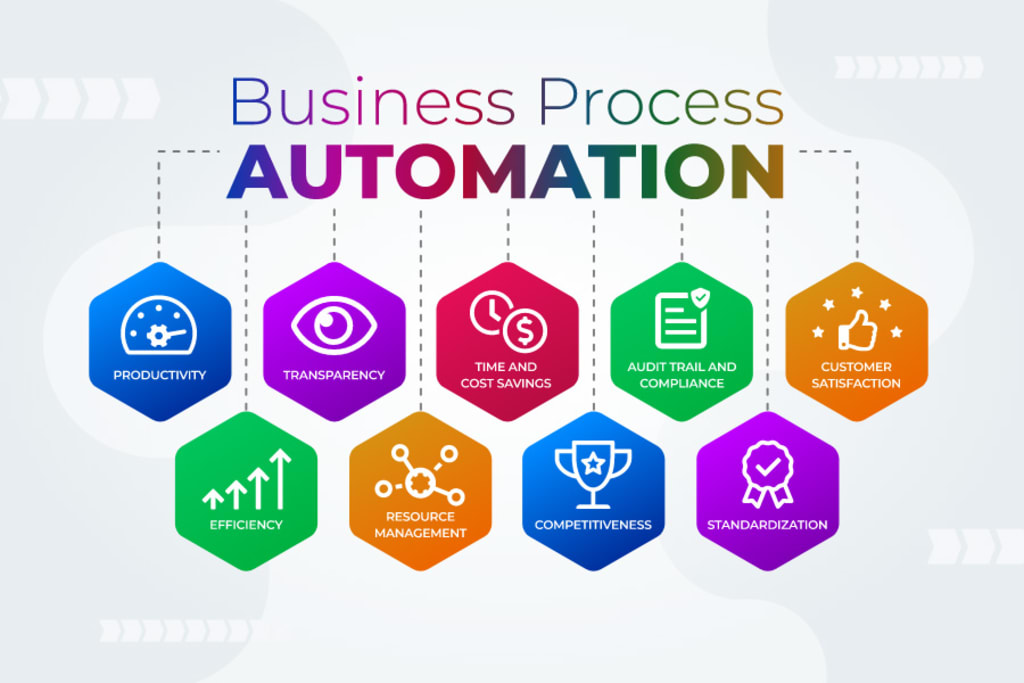
    Enter task automation. It’s your secret weapon for streamlining your workflow and boosting productivity. By automating routine and repetitive tasks, small businesses can gain many benefits. Such as freeing up valuable time and resources. Every minute saved can translate to increased productivity and profitability.

    This guide will walk you through the essentials of small business task automation. It’s designed to help you understand its benefits and identify tasks to automate. As well as choose the right tools and install automation effectively. 

    What is Task Automation?

    Task automation involves using technology to automate repetitive, manual tasks. Imagine software handling data entry, scheduling appointments, or sending out invoices. All this without your constant oversight. This frees you up to focus on strategic initiatives that drive growth.

    88% of small business owners say that automation helps them compete with larger companies.

    Why Automate in Your Small Business?

    Here’s why task automation is a game-changer for small businesses:

    • Boosts Efficiency: Repetitive tasks take a huge chunk of time. Automation eliminates the need for manual effort. This allows your team to focus on higher-value activities.
    • Reduces Errors: Humans make mistakes. Automation minimizes errors in data entry. As well as calculations and other repetitive tasks. This ensures better accuracy and consistency.
    • Saves Money: Time saved is money saved. By automating tasks, you can free up your team’s time. As well as reduce the need for more manpower.
    • Improves Customer Service: Automation can handle routine customer inquiries. It can also send out order confirmations. This frees your team to focus on providing personalized service to customer needs.
    • Enhances Scalability: As your business grows, automation can handle the increased workload. You can grow without needing to add more staff immediately.

    What Tasks Can You Automate?

    You can automate many tasks across different departments in a small business. Here are some examples:

    • Marketing: Schedule social media posts and send automated email campaigns. You can also generate personalized marketing materials.
    • Sales: Generate quotes and send automated follow-up emails. Track sales performance through automated reports.
    • Customer Service: Set up chatbots to answer frequently asked questions. Automate email responses for order confirmations. Have automation manage appointment scheduling.
    • Human Resources: Automate payroll processing and manage employee onboarding tasks. Send out automated reminders for performance reviews.
    • Finance: Automate data entry for invoices and receipts. Schedule recurring payments and generate automated financial reports.

    Getting Started with Task Automation:

    Ready to automate? Successfully implementing automation requires careful planning and execution. Here’s how to get started.

    Identify Repetitive Tasks

    Analyze your daily workflows and pinpoint repetitive tasks. Look for tasks that consume a significant amount of time. Ask employees what manual tasks take them the most time.

    Choose the Right Tools

    There’s a vast array of automation tools available. You’ll find everything from simple scheduling apps to complex workflow management platforms. Research and choose tools that integrate seamlessly. They should be compatible with your existing software. Get expert IT help for guidance on ensuring the tools cater to your specific needs.

    Start Small

    Don’t try to automate everything at once. You and your team can easily get overwhelmed. Begin by automating a few key tasks. Then, gradually expand as you get comfortable with the technology.

    Invest in Training

    Provide your team with proper training on the new automation tools. Ensure they understand how to use them effectively. You want them to feel comfortable integrating them into their workflow.

    Overcoming Common Challenges

    Implementing task automation can come with challenges. Here are some common issues and how to overcome them:

    • Resistance to Change: Employees may resist new technologies. Address this by communicating the benefits of automation. Also, involve them in the process.
    • Technical Difficulties: Technical issues can arise during implementation. Work closely with your provider’s support team to resolve any problems quickly.
    • Integration Issues: Ensure your automation tools can seamlessly integrate with your existing systems. Test integrations thoroughly before full implementation.
    • Cost Concerns: The initial investment in automation tools can be high. Focus on the long-term savings and benefits to justify the cost.
    • Security Risks: Automating tasks can introduce security risks. Put in place strong security measures to protect sensitive data.

    The Future of Automation for Small Businesses

    Automation is not about replacing humans. It’s about empowering them. By automating repetitive tasks, you free up your team’s time and talent. This allows them to focus on the things that only they can do. Including strategic thinking, creative problem-solving, and building strong customer relationships. 

    Automation technology will continue to evolve. Small businesses will have access to even more powerful tools to boost productivity. Automating now gets you ahead of the competition.

    Ready to Embrace the Time-Saving Power of Automation?

    We can help you reclaim your time and empower your team. Our technology experts can guide you in technology optimization. We’ll help you find the right automation areas for the biggest benefit. 

    Contact our automation experts today to schedule a chat.

    Featured Image Credit

    This Article has been Republished with Permission from The Technology Press.

  • Hacktivists Exploits WinRAR Vulnerability in Attacks Against Russia and Belarus

    Hacktivists Exploits WinRAR Vulnerability in Attacks Against Russia and Belarus

    A hacktivist group known as Head Mare has been linked to cyber attacks that exclusively target organizations located in Russia and Belarus.
    “Head Mare uses more up-to-date methods for obtaining initial access,” Kaspersky said in a Monday analysis of the group’s tactics and tools.
    “For instance, the attackers took advantage of the relatively recent CVE-2023-38831 vulnerability in WinRAR, which
  • New Rust-Based Ransomware Cicada3301 Targets Windows and Linux Systems

    New Rust-Based Ransomware Cicada3301 Targets Windows and Linux Systems

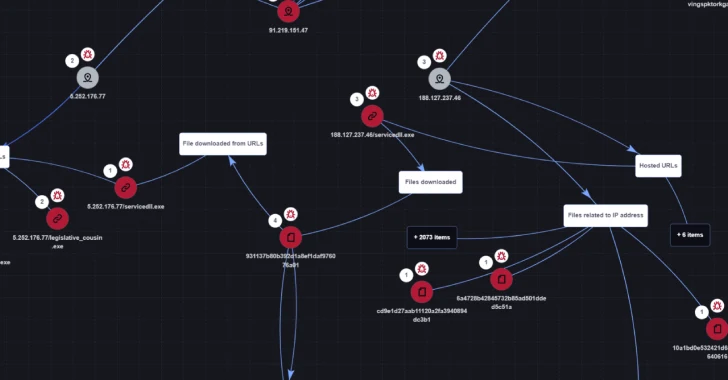
    Cybersecurity researchers have unpacked the inner workings of a new ransomware variant called Cicada3301 that shares similarities with the now-defunct BlackCat (aka ALPHV) operation.
    “It appears that Cicada3301 ransomware primarily targets small to medium-sized businesses (SMBs), likely through opportunistic attacks that exploit vulnerabilities as the initial access vector,” cybersecurity
  • Rocinante Trojan Poses as Banking Apps to Steal Sensitive Data from Brazilian Android Users

    Rocinante Trojan Poses as Banking Apps to Steal Sensitive Data from Brazilian Android Users

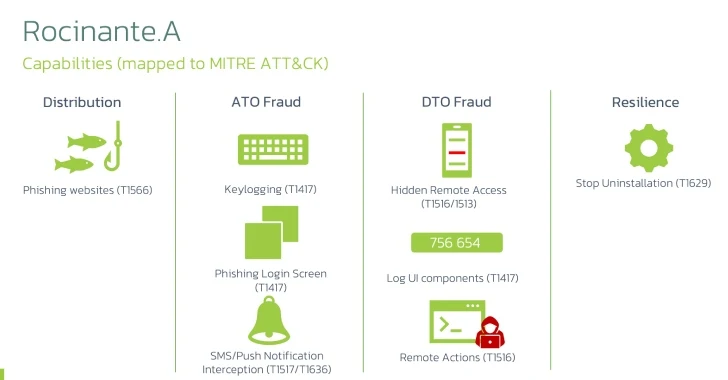
    Mobile users in Brazil are the target of a new malware campaign that delivers a new Android banking trojan named Rocinante.

    “This malware family is capable of performing keylogging using the Accessibility Service, and is also able to steal PII from its victims using phishing screens posing as different banks,” Dutch security company ThreatFabric said.

    “Finally, it can use all this exfiltrated

  • Secrets Exposed: Why Your CISO Should Worry About Slack

    Secrets Exposed: Why Your CISO Should Worry About Slack

    In the digital realm, secrets (API keys, private keys, username and password combos, etc.) are the keys to the kingdom. But what if those keys were accidentally left out in the open in the very tools we use to collaborate every day?
    A Single Secret Can Wreak Havoc
    Imagine this: It’s a typical Tuesday in June 2024. Your dev team is knee-deep in sprints, Jira tickets are flying, and Slack is
  • New Flaws in Microsoft macOS Apps Could Allow Hackers to Gain Unrestricted Access

    New Flaws in Microsoft macOS Apps Could Allow Hackers to Gain Unrestricted Access

    Eight vulnerabilities have been uncovered in Microsoft applications for macOS that an adversary could exploit to gain elevated privileges or access sensitive data by circumventing the operating system’s permissions-based model, which revolves around the Transparency, Consent, and Control (TCC) framework.
    “If successful, the adversary could gain any privileges already granted to the affected
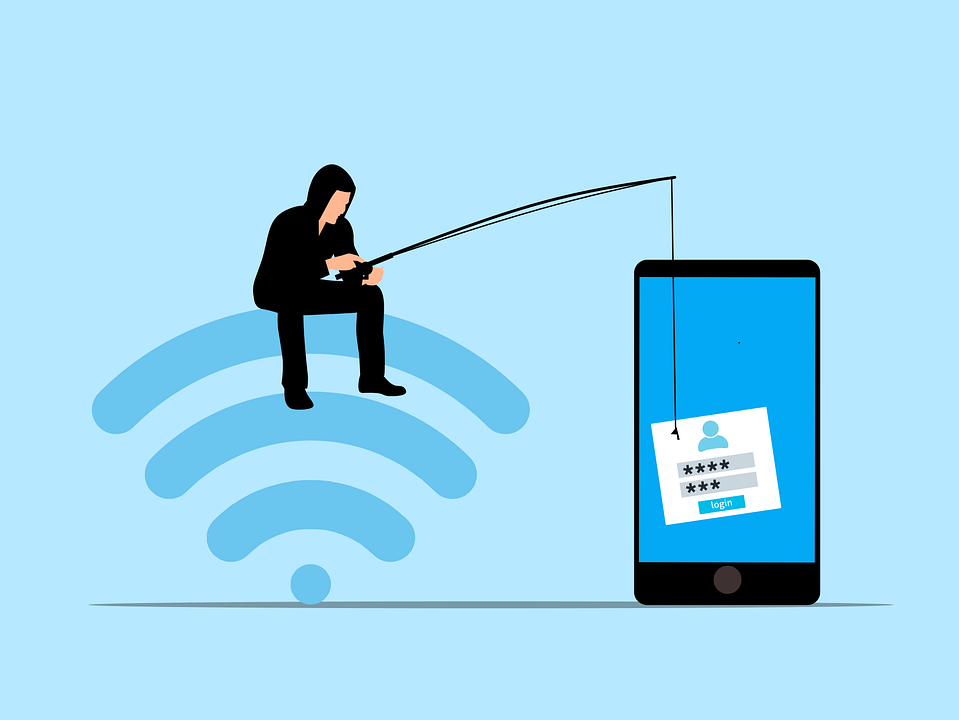
  • Phishing 2.0: How AI is Amplifying the Danger and What You Can Do

    Phishing 2.0: How AI is Amplifying the Danger and What You Can Do

    Phishing has always been a threat. Now, with AI, it’s more dangerous than ever. Phishing 2.0 is here. It’s smarter, more convincing, and harder to detect. Understanding this new threat is crucial. 

    A recent study found a 60% increase in AI-driven phishing attacks. This is a wake-up call that phishing is only getting worse. Here’s how AI is amplifying phishing and what you can do to protect yourself.

    The Evolution of Phishing

    Phishing began simply. Attackers sent out mass emails. They hoped someone would take the bait. The emails were often crude, using poor grammar and obvious lies were common. Many people could spot them easily.

    But things have changed. Attackers now use AI to improve their tactics. AI helps them craft convincing messages. It also helps them target specific individuals. This makes phishing more effective.

    How AI Enhances Phishing

    Creating Realistic Messages

    AI can analyze huge amounts of data. It studies how people write and speak. This helps it create realistic phishing messages. These messages sound like they come from a real person. They mimic the tone and style of legitimate communications. This makes them harder to spot.

    Personalized Attacks

    AI can gather information from social media and other sources. It uses this information to create personalized messages. These messages mention details about your life. They might reference your job, hobbies, or recent activities. This personalization increases the chances that you’ll believe the message is real.

    Spear Phishing

    Spear phishing targets specific individuals or organizations. It’s more sophisticated than regular phishing. AI makes spear phishing even more dangerous. It helps attackers research their targets in depth. They can craft highly tailored messages. These messages are hard to distinguish from legitimate ones.

    Automated Phishing

    AI automates many aspects of phishing. It can send out thousands of phishing messages quickly. It can also adapt messages based on responses. If someone clicks a link but doesn’t enter information, AI can send a follow-up email. This persistence increases the likelihood of success.

    Deepfake Technology

    Deepfakes use AI to create realistic fake videos and audio. Attackers can use deepfakes in phishing attacks. For example, they might create a video of a CEO asking for sensitive information. This adds a new layer of deception. It makes phishing even more convincing.

    The Impact of AI-Enhanced Phishing

    Increased Success Rates

    AI makes phishing more effective. More people fall for these sophisticated attacks. This leads to more data breaches. Companies lose money. Individuals face identity theft and other issues.

    Harder to Detect

    Traditional phishing detection methods struggle against AI-enhanced attacks. Spam filters may not catch them. Employees may not recognize them as threats. This makes it easier for attackers to succeed.

    Greater Damage

    AI-enhanced phishing can cause more damage. Personalized attacks can lead to significant data breaches. Attackers can gain access to sensitive information. They can also disrupt operations. The consequences can be severe.

    How to Protect Yourself

    Be Skeptical

    Always be skeptical of unsolicited messages. Even if they appear to come from a trusted source. Verify the sender’s identity. Don’t click on links or download attachments from unknown sources.

    Check for Red Flags

    Look for red flags in emails. These might include generic greetings, urgent language, or requests for sensitive information. Be cautious if the email seems too good to be true.

    Use Multi-Factor Authentication (MFA)

    MFA adds an extra layer of security. Even if an attacker gets your password, they’ll need another form of verification. This makes it harder for them to access your accounts.

    Educate Yourself and Others

    Education is key. Learn about phishing tactics. Stay informed about the latest threats. Share this knowledge with others. Training can help people recognize and avoid phishing attacks.

    Verify Requests for Sensitive Information

    Never provide sensitive information via email. If you receive a request, verify it through a separate communication channel. Contact the person directly using a known phone number or email address.

    Use Advanced Security Tools

    Invest in advanced security tools. Anti-phishing software can help detect and block phishing attempts. Email filters can screen out suspicious messages. Keep your security software up to date.

    Report Phishing Attempts

    Report phishing attempts to your IT team or email provider. This helps them improve their security measures. It also helps protect others from similar attacks.

    Enable Email Authentication Protocols

    Email authentication protocols like SPF, DKIM, and DMARC help protect against email spoofing. Ensure these protocols are enabled for your domain. This adds an extra layer of security to your emails.

    Regular Security Audits

    Conduct regular security audits. This helps identify vulnerabilities in your systems. Addressing these vulnerabilities can prevent phishing attacks.

    Need Help with Safeguards Against Phishing 2.0?

    Phishing 2.0 is a serious threat. AI amplifies the danger, making attacks more convincing and harder to detect. Have you had an email security review lately? Maybe it’s time.

    Contact us today to schedule a chat about phishing safety.

    Featured Image Credit

    This Article has been Republished with Permission from The Technology Press.

  • Animal control on the ballot on Skamania County

    Animal control on the ballot on Skamania County

    SKAMANIA CO. — A 0.03% increase in sales tax could get Skamania County’s dogs, horses and other assorted creatures a dedicated animal control officer to answer their emergencies. The public safety tax to fund animal control in Skamania County, proposed…