
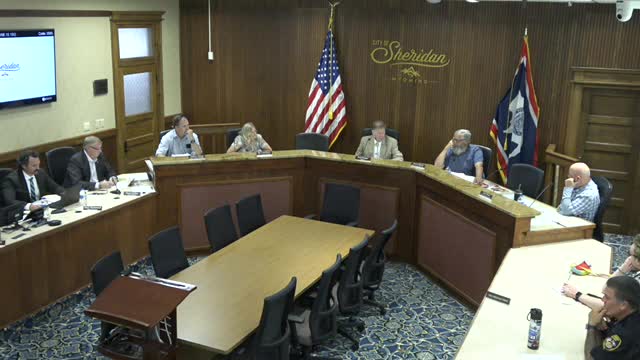
WHITE SALMON — City councilors wrapped up end-of-year business on Dec. 17, ratifying the 2026 budget, setting their legislative priorities for Olympia’s upcoming short session and celebrating Councilor Jason Hartmann at his final meeting.
Author: Robert Timlick
-
Trust Wallet Chrome Extension Breach Caused $7 Million Crypto Loss via Malicious Code
Trust Wallet is urging users to update its Google Chrome extension to the latest version following what it described as a “security incident” that led to the loss of approximately $7 million.
The issue, the multi‑chain, non‑custodial cryptocurrency wallet service said, impacts version 2.68. The extension has about one million users, according to the Chrome Web Store listing. Users are advised to -

Critical LangChain Core Vulnerability Exposes Secrets via Serialization Injection
A critical security flaw has been disclosed in LangChain Core that could be exploited by an attacker to steal sensitive secrets and even influence large language model (LLM) responses through prompt injection.
LangChain Core (i.e., langchain-core) is a core Python package that’s part of the LangChain ecosystem, providing the core interfaces and model-agnostic abstractions for building -

ThreatsDay Bulletin: Stealth Loaders, AI Chatbot Flaws AI Exploits, Docker Hack, and 15 More Stories
It’s getting harder to tell where normal tech ends and malicious intent begins. Attackers are no longer just breaking in — they’re blending in, hijacking everyday tools, trusted apps, and even AI assistants. What used to feel like clear-cut “hacker stories” now looks more like a mirror of the systems we all use.
This week’s findings show a pattern: precision, patience, and persuasion. The -

LastPass 2022 Breach Led to Years-Long Cryptocurrency Thefts, TRM Labs Finds
The encrypted vault backups stolen from the 2022 LastPass data breach have enabled bad actors to take advantage of weak master passwords to crack them open and drain cryptocurrency assets as recently as late 2025, according to new findings from TRM Labs.
The blockchain intelligence firm said evidence points to the involvement of Russian cybercriminal actors in the activity, with one of the -

The SMB Guide to Making Your Website and Documents Digitally Accessible
Have you ever thought about how many potential customers leave your website because of accessibility issues? It’s not just a guess. A UK Click-Away Pound survey found that 69% of disabled internet users leave websites that aren’t accessible. For small and medium businesses, this represents a significant missed opportunity.
So, how do you make your website and documents digitally accessible? This guide will show you simple, actionable steps to make your website and documents welcoming to everyone.
Understand How People Use Your Site
It’s easy to think your website is intuitive just because it works for you. But that doesn’t mean it works for everyone. Some people use a keyboard instead of a mouse. Others rely on screen readers that read text aloud or use voice commands to navigate a page. Testing how real users with disabilities interact with your website can show you things you might never notice.
The most valuable insights come from real users. Invite feedback from people who use assistive technologies. Watch how they navigate your site, where they get stuck, and how they interpret your content. You’ll often find that small design or content changes can remove significant barriers.
Make Your Visuals Accessible for All
Visual accessibility is one of the most common areas that websites overlook. Millions of people have some degree of visual impairment and rely on different aids to access digital content.
Text should clearly stand out against its background, even for people with low vision or color blindness. A contrast ratio of at least 4.5:1 for normal text is considered accessible. Use free tools like the Contrast Checker from WebAIM to make verification easy.
Make Documents User-Friendly
Many businesses share important information through downloadable documents like PDFs, Word files, or PowerPoint presentations. Unfortunately, many of these documents are inaccessible by default.
When creating a PDF, make sure that it is tagged. Tagged PDFs have structural information such as headings, paragraphs, and tables, which makes the PDF more readable for screen readers. Make sure to include alt text for images and organize content so it reads correctly for users relying on assistive technology. A simple test for accessibility before sending or uploading the document can make sure that it can be read by everyone.
Make Reading Easier and Reduce Mental Effort
Some users may learn in a different way or have cognitive disabilities that affect how they read and interpret information. But even those without diagnosed disabilities enjoy plain and uncluttered content.
Use plain language. Avoid using complex, long sentences or jargon where a straightforward explanation will do. Break your writing up into short paragraphs with explanatory subheadings. This is easier for everyone to read and find what they require in a short amount of time.
The fonts you choose also matter. Fonts like Arial, Verdana, Sans-Serif, are easier to read on the screen. Choose a font size of at least 14 points for body text and never use all caps or italics because they are harder to read.
Support People with Hearing or Mobility Needs
Accessibility goes beyond visual or cognitive needs, millions of people have hearing or physical disabilities that affect how they use technology.
Provide captions or transcripts for all video and audio content to support deaf or hard-of-hearing visitors. Consistently adding these is important, as many viewers watch videos on mute, especially at work or in public. Transcripts also help search engines index your content, giving your site a slight SEO boost.
For users with limited mobility, ensure that your website is completely accessible with only a keyboard. All links, buttons, and form fields should be accessible using the Tab key. Avoid features requiring fine motor control, including small click-tooltips or drag-and-drop interfaces.
Keep Improving Through Feedback and Data
Accessibility isn’t a one-time project, it’s an ongoing process. Each time you update your site or add new content, test to ensure everything remains accessible. Encourage visitors to provide feedback if they encounter issues, and consider including an accessibility statement on your site to show your commitment and provide contact information for support
Accessibility gap insights can also be provided by analytics tools. When you notice users abandoning pages or forms, it is usually an indication of an accessibility or usability issue.
Make Accessibility Part of Your Brand
For SMBs, accessibility can seem like just another item on an already long to-do list. But it’s a smart investment in your reputation and customer relationships. When your website and documents are accessible, you’re showing your audience that your business is thoughtful, inclusive, and professional. You’re also protecting yourself from potential legal risks, as accessibility standards like the Americans with Disabilities Act (ADA) apply to many websites.
The good news is that beauty and accessibility can go hand in hand. You can have a modern, visually striking website that’s also accessible, by thoughtfully choosing colors, design elements, and language that welcome everyone.
Ready to Make Your Website More Accessible?
Accessibility is not a technical requirement. It’s about people. It’s about ensuring everyone, no matter what their ability, can read your content, fill out your forms, or download your documents. For business owners, that’s the essence of good service: meeting customers where they are and including everyone.
By investing the time to make your documents and site accessible, you’re opening doors and removing barriers. Whether you’re doing your color contrast check, adding alt text to images, naming PDFs, or performing keyboard navigation testing, each step brings you closer to a more inclusive online experience.
Ready to make your website accessible, user-friendly, and welcoming to all visitors? Let us help you transform your site into a powerful asset for your business. Contact us today to get expert guidance and start creating an accessible, modern website that works for everyone.
—
This Article has been Republished with Permission from The Technology Press.
-
Fortinet Warns of Active Exploitation of FortiOS SSL VPN 2FA Bypass Vulnerability
Fortinet on Wednesday said it observed “recent abuse” of a five-year-old security flaw in FortiOS SSL VPN in the wild under certain configurations.
The vulnerability in question is CVE-2020-12812 (CVSS score: 5.2), an improper authentication vulnerability in SSL VPN in FortiOS that could allow a user to log in successfully without being prompted for the second factor of authentication if the -
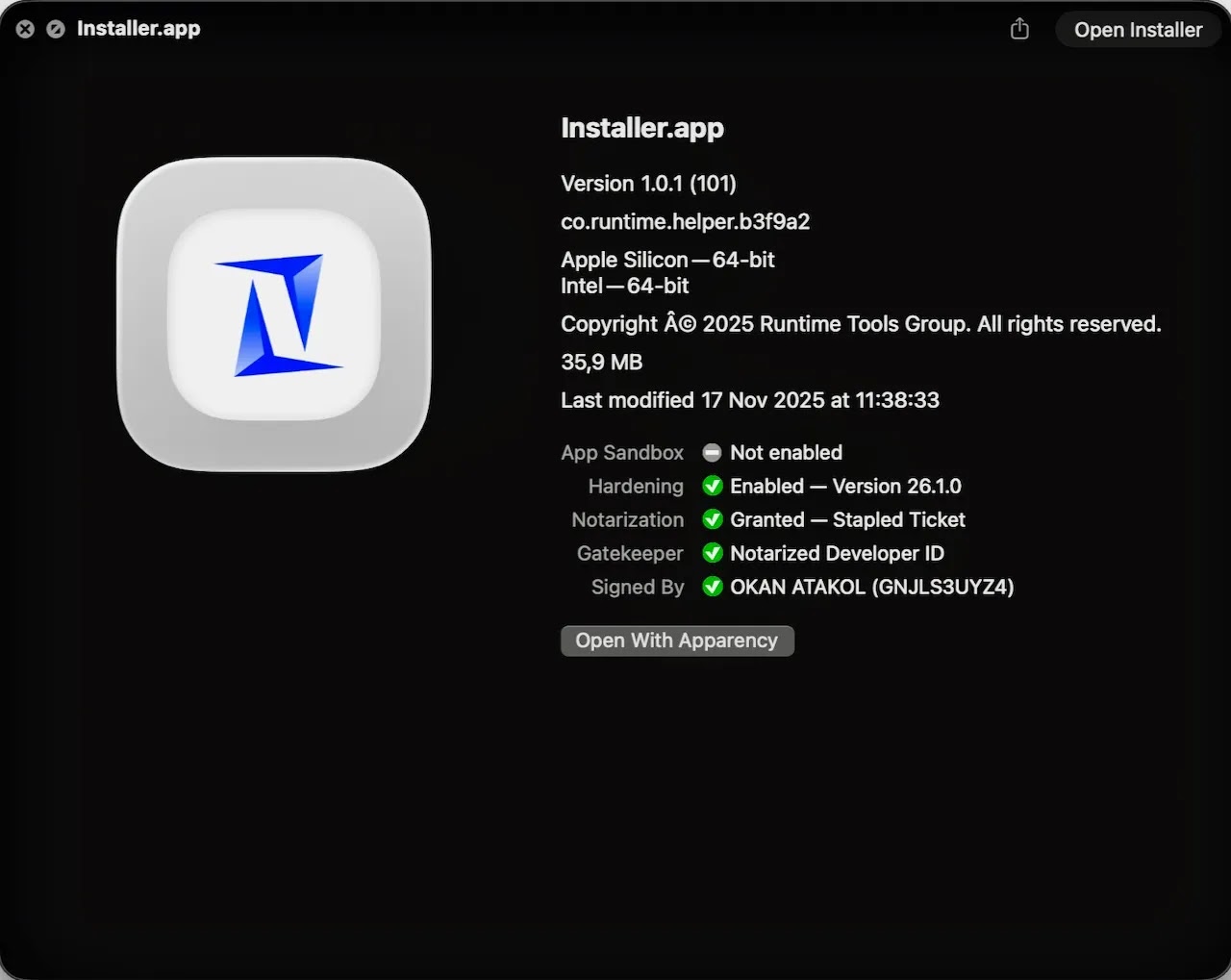
New MacSync macOS Stealer Uses Signed App to Bypass Apple Gatekeeper
Cybersecurity researchers have discovered a new variant of a macOS information stealer called MacSync that’s delivered by means of a digitally signed, notarized Swift application masquerading as a messaging app installer to bypass Apple’s Gatekeeper checks.
“Unlike earlier MacSync Stealer variants that primarily rely on drag-to-terminal or ClickFix-style techniques, this sample adopts a more -

Nomani Investment Scam Surges 62% Using AI Deepfake Ads on Social Media
The fraudulent investment scheme known as Nomani has witnessed an increase by 62%, according to data from ESET, as campaigns distributing the threat have also expanded beyond Facebook to include other social media platforms, such as YouTube.
The Slovak cybersecurity company said it blocked over 64,000 unique URLs associated with the threat this year. A majority of the detections originated from -

Attacks are Evolving: 3 Ways to Protect Your Business in 2026
Every year, cybercriminals find new ways to steal money and data from businesses. Breaching a business network, extracting sensitive data, and selling it on the dark web has become a reliable payday.
But in 2025, the data breaches that affected small and medium-sized businesses (SMBs) challenged our perceived wisdom about exactly which types of businesses cybercriminals are targeting.