Author: Robert Timlick

  • Watch Out for Google Searches – “Malvertising” Is on the Rise!  

    Watch Out for Google Searches – “Malvertising” Is on the Rise!  

    There are many types of malware. One of the most common is called “malvertising.” It crops up everywhere. Including social media sites and websites. You can also see these malicious ads on Google searches.

    Two things are making malvertising even more dangerous. One is that hackers use AI to make it very believable. The other is that it’s on the rise, according to Malwarebytes. In the fall of 2023, malvertising increased by 42% (month over month).

    It’s important to inform yourself about this online threat. Knowledge is the power to protect yourself. Especially when it comes to malicious cybercriminals. Below, we’ll help you understand malvertising. We’ll also give you tips on identifying and avoiding it.

    What Is “Malvertising?”

    Malvertising is the use of online ads for malicious activities. One example is when the PlayStation 5 was first released. It was very hard to get, which created the perfect environment for hackers. Several malicious ads cropped up on Google searches. The ads made it look like someone was going to an official site. But instead, they went to copycat sites. Criminals design these sites to steal user credentials and credit card details.

    Google attempts to police its ads. But hackers can often have their ads running for hours or days before they’re caught. These ads appear just as any other sponsored search ad on Google.

    Google is not the only site where malvertising appears. It can appear on well-known sites that have been hacked. It can also appear on social media feeds.

    Tips for Protecting Yourself from Malicious Online Ads

    Review URLs Carefully

    You might see a slight misspelling in an online ad’s URL. Just like phishing, malvertising often relies on copycat websites. Carefully review any links for things that look off.

    Visit Websites Directly

    A foolproof way to protect yourself is not to click any ads. Instead, go to the brand’s website directly. If they truly are having a “big sale,” you should see it there. This tip is useful for all types of phishing. Just don’t click those links and go to the source directly.

    Use a DNS Filter

    A DNS filter protects you from mistaken clicks. It will redirect your browser to a warning page if it detects danger. DNS filters look for warning signs. They, then block dangerous sites. This can keep you safe even if you accidentally click a malvertising link.

    Do Not Log in After Clicking an Ad

    Malvertising will often land you on a copycat site. The login page may look identical to the real thing. One of the things phishers are trying to steal is login credentials. They can get big money for logins to sites like Netflix, banks, and more.

    If you click an ad, do not input your login credentials on the site. Even if the site looks legitimate. Go to the brand’s site in a different browser tab.

    Don’t Call Ad Phone Numbers

    Phishing can also happen offline. Some malicious ads include phone numbers to call. Unsuspecting victims may not realize fake representatives are part of these scams. Seniors are often targeted with malvertising scams. They call and reveal personal information to the person on the other end of the line.

    Just say no to calling numbers in online ads. If you find yourself on a call, do not reveal any personal data. Just hang up. Remember, this is an elaborate scam. These people prey on triggers like fear. They also work to gain your trust.

    Don’t Download from Ads

    “Get a free copy of MS Word” or “Get a Free PC Cleaner.” These are common malvertising scams. They try to entice you into clicking a download link. It’s often for a popular program or freebie. The link actually injects your system with malware. The hacker can then do further damage.

    Never click to download anything from an online ad. If you see an ad with a direct download link, it’s often a scam.

    Warn Others When You See Malvertising

    If you see a suspicious ad, warn others. This helps keep your colleagues, friends, and family more secure. If you’re unsure, try a Google search on the ad. You’ll often run across scam alerts confirming your suspicion. 

    It’s important to be smart and arm yourself with knowledge. You can then share this with others. Foster this type of cyber-aware community. It helps everyone ensure better online security as well as get alerted of new scams cropping up.

    Improve Your Online Security Today

    Is your device up to date with security patches? Do you have a good anti-malware solution? Is DNS filtering installed to block dangerous websites?

    If you’re not sure of any of those questions, contact us. Our cybersecurity experts are here. We’ll help you find affordable solutions to secure your online world.

    Give us a call or email to schedule a chat about online security.

    Featured Image Credit

    This Article has been Republished with Permission from The Technology Press.

  • ‘Democracy: A Public Conversation’ Dec. 17 at the Rockford Grange

    ‘Democracy: A Public Conversation’ Dec. 17 at the Rockford Grange

    HOOD RIVER — The Mid-Columbia Unitarian Universalist Fellowship invites the public to participate in a conversation about democracy on Tuesday evening, Dec. 17, at the Rockford Grange from 7-8:30 p.m.
  • Ultralytics AI Library Compromised: Cryptocurrency Miner Found in PyPI Versions

    Ultralytics AI Library Compromised: Cryptocurrency Miner Found in PyPI Versions

    In yet another software supply chain attack, it has come to light that two versions of a popular Python artificial intelligence (AI) library named ultralytics were compromised to deliver a cryptocurrency miner.
    The versions, 8.3.41 and 8.3.42, have since been removed from the Python Package Index (PyPI) repository. A subsequently released version has introduced a security fix that “ensures
  • Learn How Experts Secure Privileged Accounts—Proven PAS Strategies Webinar

    Learn How Experts Secure Privileged Accounts—Proven PAS Strategies Webinar

    Cybercriminals know that privileged accounts are the keys to your kingdom. One compromised account can lead to stolen data, disrupted operations, and massive business losses. Even top organizations struggle to secure privileged accounts. Why?
    Traditional Privileged Access Management (PAM) solutions often fall short, leaving:

    Blind spots that limit full visibility.
    Complex deployment processes.

  • Hackers Using Fake Video Conferencing Apps to Steal Web3 Professionals’ Data

    Hackers Using Fake Video Conferencing Apps to Steal Web3 Professionals’ Data

    Cybersecurity researchers have warned of a new scam campaign that leverages fake video conferencing apps to deliver an information stealer called Realst targeting people working in Web3 under the guise of fake business meetings.
    “The threat actors behind the malware have set up fake companies using AI to make them increase legitimacy,” Cado Security researcher Tara Gould said. “The company
  • Romania Cancels Presidential Election Results After Alleged Russian Meddling on TikTok

    Romania Cancels Presidential Election Results After Alleged Russian Meddling on TikTok

    In a historic decision, Romania’s constitutional court has annulled the result of the first round of voting in the presidential election amid allegations of Russian interference.
    As a result, the second round vote, which was scheduled for December 8, 2024, will no longer take place. Călin Georgescu, who won the first round, denounced the verdict as an “officialized coup” and an attack on
  • FSB Uses Trojan App to Monitor Russian Programmer Accused of Supporting Ukraine

    FSB Uses Trojan App to Monitor Russian Programmer Accused of Supporting Ukraine

    A Russian programmer accused of donating money to Ukraine had his Android device secretly implanted with spyware by the Federal Security Service (FSB) after he was detained earlier this year.
    The findings come as part of a collaborative investigation by First Department and the University of Toronto’s Citizen Lab.
    “The spyware placed on his device allows the operator to track a target device’s
  • This $3,000 Android Trojan Targeting Banks and Cryptocurrency Exchanges

    This $3,000 Android Trojan Targeting Banks and Cryptocurrency Exchanges

    As many as 77 banking institutions, cryptocurrency exchanges, and national organizations have become the target of a newly discovered Android remote access trojan (RAT) called DroidBot.
    “DroidBot is a modern RAT that combines hidden VNC and overlay attack techniques with spyware-like capabilities, such as keylogging and user interface monitoring,” Cleafy researchers Simone Mattia, Alessandro
  • Critical Mitel MiCollab Flaw Exposes Systems to Unauthorized File and Admin Access

    Critical Mitel MiCollab Flaw Exposes Systems to Unauthorized File and Admin Access

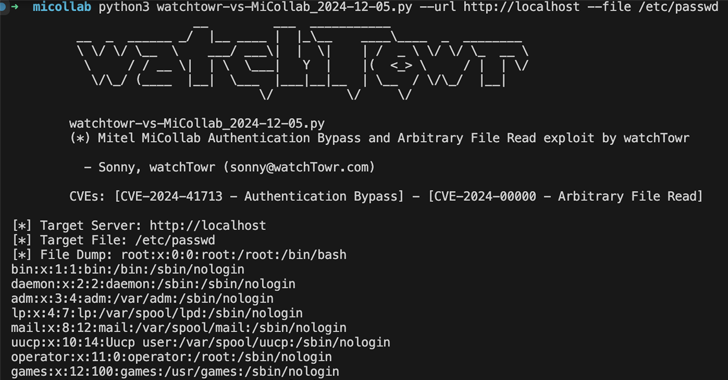
    Cybersecurity researchers have released a proof-of-concept (PoC) exploit that strings together a now-patched critical security flaw impacting Mitel MiCollab with an arbitrary file read zero-day, granting an attacker the ability to access files from susceptible instances.
    The critical vulnerability in question is CVE-2024-41713 (CVSS score: 9.8), which relates to a case of insufficient input
  • Europol Shuts Down Manson Market Fraud Marketplace, Seizes 50 Servers

    Europol Shuts Down Manson Market Fraud Marketplace, Seizes 50 Servers

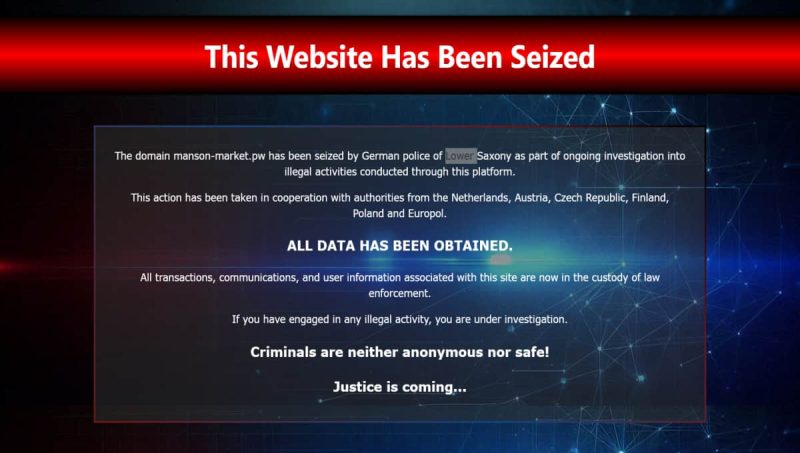
    Europol on Thursday announced the shutdown of a clearnet marketplace called Manson Market that facilitated online fraud on a large scale.
    The operation, led by German authorities, has resulted in the seizure of more than 50 servers associated with the service and the arrest of two suspects. More than 200 terabytes of digital evidence have been collected.
    Manson Market (“manson-market[.]pw”) is