
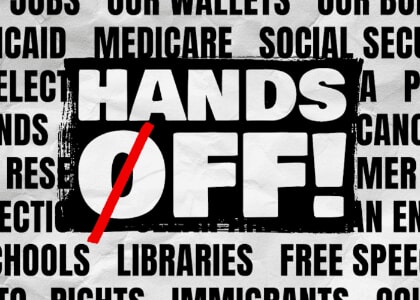
HOOD RIVER — An estimated 1,500 people from around the Gorge rallied on April 5 in Hood River to take part in the national Hands Off! day of protest coordinated by 50501, the national Indivisible group, MoveOn.org, and more than…
Author: Robert Timlick
-

Salt & Straw unveils cookbook, newest location
 Cofounder Tyler Malek will publish a cookbook this month, and the gourmet ice cream chain adds a New England story.
 -
Microsoft Credits EncryptHub, Hacker Behind 618+ Breaches, for Disclosing Windows Flaws
A likely lone wolf actor behind the EncryptHub persona was acknowledged by Microsoft for discovering and reporting two security flaws in Windows last month, painting a picture of a “conflicted” individual straddling a legitimate career in cybersecurity and pursuing cybercrime.
In a new extensive analysis published by Outpost24 KrakenLabs, the Swedish security company unmasked the up-and-coming -
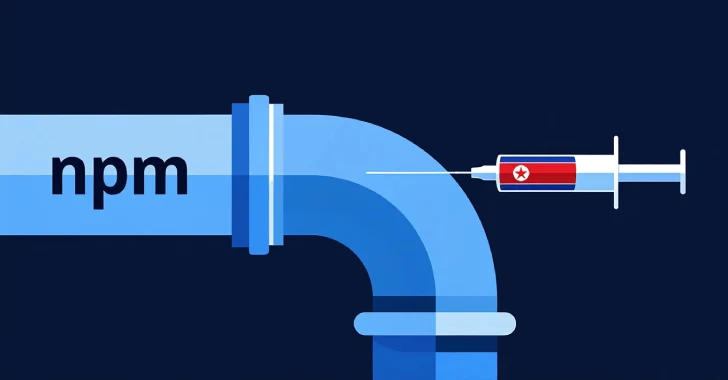
North Korean Hackers Deploy BeaverTail Malware via 11 Malicious npm Packages
The North Korean threat actors behind the ongoing Contagious Interview campaign are spreading their tentacles on the npm ecosystem by publishing more malicious packages that deliver the BeaverTail malware, as well as a new remote access trojan (RAT) loader.
“These latest samples employ hexadecimal string encoding to evade automated detection systems and manual code audits, signaling a variation -
Spotting the Difference Between Malware and Ransomware
Malware and ransomware are two types of bad software. They can damage your computer or steal your data. Downloading this harmful software comes with serious consequences. In 2024, there were more than 60 million new strains of malware found on the internet.
This is why it’s critical to understand the difference between them. This article will help you understand both types of threats.
What is Malware?
Malware is a general term that means “malicious software.” It includes many types of harmful programs. Depending on the type, malware can do different bad things to your computer. These are the four main types of malware:
- Viruses: These spread from one computer to another.
- Worms: They can copy themselves without your help.
- Trojans: They trick you into thinking they’re good programs.
- Spyware: This type watches what you do on your computer.
Malware can cause a lot of problems. If you get malware on your device, it can:
- Slow down your computer
- Delete your files
- Steal your personal info
- Use your computer to attack others
What is Ransomware?
Ransomware is a type of malware. It locks your files or your entire computer, then it demands money to unlock them. It is a form of digital kidnapping of your data.
Ransomware goes by a pretty basic pattern:
- It infects your computer, normally through an e-mail or download.
- It encrypts your files. This means it locks them with a secret code.
- It displays a message. The message requests money to decrypt your files.
- You may be provided with a key to unlock the files if you pay. In other cases, the attackers abscond with your money.
As of 2024, the average ransom was $2.73 million. This is almost a $1 million increase from the previous year according to Sophos. There are primarily two types of ransomware:
- Locker ransomware: This locks the whole computer.
- Crypto ransomware: This only encrypts your files.
How are Malware and Ransomware Different?
The main difference between malware and ransomware is their goal. Malware wants to cause damage or steal info. Ransomware wants to get money from you directly.
While malware wants to take your data, ransomware will lock your files and demand payment to unlock them. Their methods are also different. Malware works in secret and you may not know it’s there. Ransomware makes its presence known so the attackers can ask you for money.
How Does It Get onto Your Computer?
Malware and ransomware can end up on your computer in many of the same ways.
These include:
- Through email attachments
- Via phony websites
- Via a USB drive with an infection
- From using outdated software
These are the most common methods, but new techniques are on the rise. Fileless malware was expected to grow 65% in 2024, and AI-assisted malware may make up 20% of strains in 2025. If you get infected by malware or ransomware, it’s important to act quickly. You should know these signs of infection to protect yourself.
For malware:
- Your computer is slow
- Strange pop-ups appear
- Programs crash often
For ransomware:
- You can’t open your files
- You see a ransom note on your screen
- Your desktop background changes to a warning
How Can You Protect Yourself?
You can take steps to stay safe from both malware and ransomware. First, here are some general safety tips for malware and ransomware:
- Keep your software up to date
- Use strong passwords
- Don’t click on strange links or attachments
- Backup your files regularly
For malware specifically, you can protect yourself by using anti-virus programs and being selective with what you download. To stay safe from ransomware, take offline backups of your files and use ransomware-specific protection tools.
What to Do If You’re Attacked
If you suspect that you have malware or ransomware, take action right away.
For Malware:
- Go offline
- Run full anti-virus
- Delete infected files
- Change all your passwords
For Ransomware:
- Go offline
- Don’t pay the ransom (it may not work)
- Report the attack to the police
- Restore your files from a backup
Why It Pays to Know the Difference
Knowing the difference between malware and ransomware can help with better protection. This will help you respond in the best way when attacked. The more you know what you are against, the better your chance at taking the right steps to keep yourself safe. If you are under attack, knowing what type of threat it is helps you take quicker action. You can take proper steps towards rectifying the problem and keeping your data safe.
Stay Safe in the Digital World
The digital world can be hazardous. But you can keep safe if you’re careful. Keep in mind the differences between malware and ransomware, and practice good safety habits daily.
And, if you are in need of help to keep yourself safe on the internet, never hesitate to ask for assistance. For further information on protecting your digital life, contact us. We want to help keep you secure in the face of all types of cyber threats.
—
This Article has been Republished with Permission from The Technology Press.
-
Malicious Python Packages on PyPI Downloaded 39,000+ Times, Steal Sensitive Data
Cybersecurity researchers have uncovered malicious libraries in the Python Package Index (PyPI) repository that are designed to steal sensitive information.
Two of the packages, bitcoinlibdbfix and bitcoinlib-dev, masquerade as fixes for recent issues detected in a legitimate Python module called bitcoinlib, according to ReversingLabs. A third package discovered by Socket, disgrasya, contained a -

Oregon chipmakers feel tariff pain, despite US exemption
 Semiconductors are exempt from Trump tariffs, but many companies remain vulnerable.
 -

Prosper Portland to consider sale of Convention Center-adjacent hotel
 Prosper Portland acquired the property in 2002 as a possible site for an Oregon Convention Center hotel.
 -

Oregon cannabis ranked 2nd in thriving in open US market
 Robin Goldstein from UC Davis ranks the states by cannabis industry economic potential.
 -

Portland’s largest law firms join amicus brief supporting Perkins Coie
 The firms were among more than 500 to lend their names to a friend-of-the-court brief filed in U.S. District Court.