Author: Robert Timlick

  • Invest Smart, Grow Fast: Your Small Business Guide to IT Expense Planning

    Invest Smart, Grow Fast: Your Small Business Guide to IT Expense Planning

    Without realizing it, technology can drain your business budget. One day, everything seems manageable, and the next, you’re left wondering where all these unexpected costs are coming from. Expenses pile up quickly and become tough to track. Whoever said running a business would be easy?

    Here’s the good news: you don’t need to spend thousands on a large in-house IT team or become an IT expert yourself. The best approach is to partner with an IT specialist who can help you manage your IT costs. With their strategic planning and focus, your IT budget will work for you, not against you. This guide is designed to help you better understand IT expense planning.

    Strategic Ways to Plan Your Business’s IT Expenses

    Step 1: Be Aware of Your Business Expenses

    Take some time to figure out what you are paying for and how it will benefit you. Ask yourself:

    • What equipment is your team using daily?
    • How many software tools do you actually use?
    • Are there overlapping features between tools?
    • Are you still being charged for a subscription from 2021?

    Sometimes, you do not need to spend a penny and just clean things up. This is why having a good understanding of your business expenses is key.

    Step 2: Spend Where It Actually Helps

    There’s a difference between spending and investing. Buying gadgets because they’re shiny? That’s spending. Putting money into tools that make your work easier, faster, or safer? That’s investing.

    Here’s where you usually get the most bang for your buck:

    • Cybersecurity: A basic firewall or antivirus can protect you from a major breach which is much less expensive than dealing with recovery.
    • Cloud tools: Let your team work from anywhere and save on server headaches.
    • Automation: Let software manage repetitive tasks so that your team saves time.
    • Training: This is crucial because there’s no point in investing in a new tool if your team can’t use it effectively.

    Step 3: Give Your Budget a Backbone

    Lumping all IT costs into one big bucket makes it hard to tell what’s working and what’s not. Instead, break down your expenses into clear categories such as:

    • Hardware: Laptops, monitors, routers, and all the equipment your business cannot operate without.
    • Software: Every subscription and tool your team relies on.
    • Security: VPNs, password managers, and antivirus software.
    • Support: Who do you call when something breaks?
    • Training: Helping your team learn the tech they’ve got.
    • Backups: Peace of mind because technology can fail.

    Now you’re not just budgeting, but building a system you can track and improve.

    Step 4: Trim What You Don’t Need

    Remember that dusty treadmill in your garage that hasn’t been used since New Year’s? Your IT budget probably has a few forgotten expenses just like that.

    Here’s how to clean it up:

    • Cancel unused subscriptions: If no one’s logged in for 3 months, it’s probably safe to let it go.
    • Consolidate tools: One solid platform might replace three mediocre ones.
    • Renegotiate with vendors: A five-minute call could save you hundreds a year.
    • Outsource smartly: Hiring full-time IT staff isn’t always necessary. A managed IT partner can often do more, for less.

    This doesn’t mean settling for less, it means getting rid of the things you no longer need.

    Step 5: Allow for Flexibility

    Your budget should adapt to your needs without breaking under pressure:

    • Keep backups in place for emergencies.
    • Update your budget every quarter.
    • Assess which expenses add value versus those that don’t.

    A good IT budget is like a good pair of jeans. It fits now, but stretches a little when you need it .

    Step 6: Plan for the Future, Not Just Today

    It’s easy to budget just for what’s in front of you, but what happens when you hire two new people or move to a bigger office?

    • Will you need more licenses or storage next quarter?
    • Are you opening a new location?
    • Planning to go remote or hybrid?

    If growth is part of your plan, your IT budget should reflect that too.

    Step 7: Don’t Do It Alone

    You don’t have to be a tech expert when you have one on your side. A great IT partner helps you stay organized, cut unnecessary costs, and keep everything running smoothly. They understand your systems, communicate clearly, and make it easy for you to stay ahead of issues instead of scrambling to fix them. It’s smart, hassle-free support.

    Always Budget for a Plan B Just in Case

    Things don’t always go as planned. Maybe your internet drops during a big meeting. Maybe a laptop decides today’s the day it won’t turn on. That’s why it’s smart to build in a safety net. A second internet line or a spare device can keep you moving when things get bumpy. It’s like keeping a backup charger in your bag. Most days, you won’t need it. But when you do, you’ll thank yourself. A little prep now can save a lot of panic later.

    Smart Budgeting: Make Every Tech Dollar Count

    Building a better IT budget isn’t just about slashing costs. It’s more than merely spending less. It’s about knowing where your money goes and making sure it supports your business goals.

    When you know which tools truly add value and eliminate the rest, everything runs more smoothly. You create room to grow and build a setup that supports your business instead of holding it back.

    Still not sure where to start? We’ll help you streamline your IT expenses, eliminate unnecessary costs, and create a plan aligned with your business goals. IT budgeting doesn’t have to be overwhelming. We’ll make it simple. Contact us today.

    Featured Image Credit

    This Article has been Republished with Permission from The Technology Press.

  • AI-Powered Villager Pen Testing Tool Hits 11,000 PyPI Downloads Amid Abuse Concerns

    AI-Powered Villager Pen Testing Tool Hits 11,000 PyPI Downloads Amid Abuse Concerns

    A new artificial intelligence (AI)-powered penetration testing tool linked to a China-based company has attracted nearly 11,000 downloads on the Python Package Index (PyPI) repository, raising concerns that it could be repurposed by cybercriminals for malicious purposes.
    Dubbed Villager, the framework is assessed to be the work of Cyberspike, which has positioned the tools as a red teaming
  • HiddenGh0st, Winos and kkRAT Exploit SEO, GitHub Pages in Chinese Malware Attacks

    HiddenGh0st, Winos and kkRAT Exploit SEO, GitHub Pages in Chinese Malware Attacks

    Chinese-speaking users are the target of a search engine optimization (SEO) poisoning campaign that uses fake software sites to distribute malware.
    “The attackers manipulated search rankings with SEO plugins and registered lookalike domains that closely mimicked legitimate software sites,” Fortinet FortiGuard Labs researcher Pei Han Liao said. “By using convincing language and small character
  • FBI Warns of UNC6040 and UNC6395 Targeting Salesforce Platforms in Data Theft Attacks

    FBI Warns of UNC6040 and UNC6395 Targeting Salesforce Platforms in Data Theft Attacks

    The U.S. Federal Bureau of Investigation (FBI) has issued a flash alert to release indicators of compromise (IoCs) associated with two cybercriminal groups tracked as UNC6040 and UNC6395 for a string of data theft and extortion attacks.

    “Both groups have recently been observed targeting organizations’ Salesforce platforms via different initial access mechanisms,” the FBI said.

    UNC6395 is a

  • Samsung Fixes Critical Zero-Day CVE-2025-21043 Exploited in Android Attacks

    Samsung Fixes Critical Zero-Day CVE-2025-21043 Exploited in Android Attacks

    Samsung has released its monthly security updates for Android, including a fix for a security vulnerability that it said has been exploited in zero-day attacks.
    The vulnerability, CVE-2025-21043 (CVSS score: 8.8), concerns an out-of-bounds write that could result in arbitrary code execution.
    “Out-of-bounds Write in libimagecodec.quram.so prior to SMR Sep-2025 Release 1 allows remote attackers to
  • New HybridPetya Ransomware Bypasses UEFI Secure Boot With CVE-2024-7344 Exploit

    New HybridPetya Ransomware Bypasses UEFI Secure Boot With CVE-2024-7344 Exploit

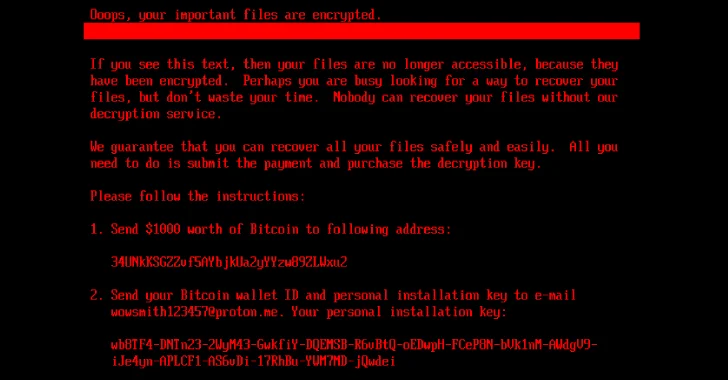
    Cybersecurity researchers have discovered a new ransomware strain dubbed HybridPetya that resembles the notorious Petya/NotPetya malware, while also incorporating the ability to bypass the Secure Boot mechanism in Unified Extensible Firmware Interface (UEFI) systems using a now-patched vulnerability disclosed earlier this year.
    Slovakian cybersecurity company ESET said the samples were uploaded
  • Cloud-Native Security in 2025: Why Runtime Visibility Must Take Center Stage

    Cloud-Native Security in 2025: Why Runtime Visibility Must Take Center Stage

    The security landscape for cloud-native applications is undergoing a profound transformation. Containers, Kubernetes, and serverless technologies are now the default for modern enterprises, accelerating delivery but also expanding the attack surface in ways traditional security models can’t keep up with.
    As adoption grows, so does complexity. Security teams are asked to monitor sprawling hybrid
  • Cursor AI Code Editor Flaw Enables Silent Code Execution via Malicious Repositories

    Cursor AI Code Editor Flaw Enables Silent Code Execution via Malicious Repositories

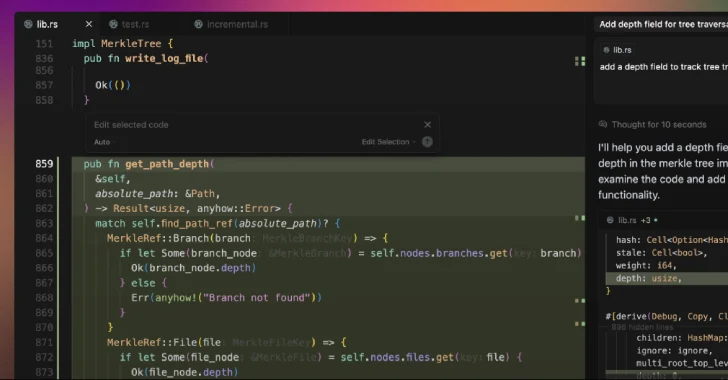
    A security weakness has been disclosed in the artificial intelligence (AI)-powered code editor Cursor that could trigger code execution when a maliciously crafted repository is opened using the program.
    The issue stems from the fact that an out-of-the-box security setting is disabled by default, opening the door for attackers to run arbitrary code on users’ computers with their privileges.
  • Google Pixel 10 Adds C2PA Support to Verify AI-Generated Media Authenticity

    Google Pixel 10 Adds C2PA Support to Verify AI-Generated Media Authenticity

    Google on Tuesday announced that its new Google Pixel 10 phones support the Coalition for Content Provenance and Authenticity (C2PA) standard out of the box to verify the origin and history of digital content.
    To that end, support for C2PA’s Content Credentials has been added to Pixel Camera and Google Photos apps for Android. The move, Google said, is designed to further digital media
  • Cracking the Boardroom Code: Helping CISOs Speak the Language of Business

    Cracking the Boardroom Code: Helping CISOs Speak the Language of Business

    CISOs know their field. They understand the threat landscape. They understand how to build a strong and cost-effective security stack. They understand how to staff out their organization. They understand the intricacies of compliance. They understand what it takes to reduce risk. Yet one question comes up again and again in our conversations with these security leaders: how do I make the impact